The NetSuite-to-Excel Trap: Automating Financial Reporting Beyond Spreadsheets.
Many NetSuite finance teams are trapped in a monthly ritual of exporting financial data to Excel for reporting. Learn why this workflow persists, its hidden costs, and how to automate NetSuite financial reporting for real-time insights.
- NetSuite
- Financial Reporting
- FP&A
- Excel
- Automation
- Data Export
- Dashboards
- CFO Insights
For many finance teams running on NetSuite, the end of the month triggers a familiar, time-consuming ritual. As soon as the books close, a flurry of activity begins: exporting financial data, copying CSVs, pasting numbers into sprawling Excel workbooks, and meticulously formatting slides for the executive team and board. This NetSuite-to-Excel trap is pervasive, consuming days that could otherwise be spent on strategic analysis.
While NetSuite is a powerful ERP, its native reporting capabilities often fall short of the nuanced, highly customized financial analysis and presentation that CFOs, controllers, and FP&A leads require. This gap forces finance professionals back to their spreadsheets, where they build complex financial models, consolidate data, and add layers of custom logic that NetSuite's standard reports can't easily replicate. But this reliance on manual Excel processes comes with significant hidden costs and creates bottlenecks that hinder agile decision-making.
This guide explores why finance teams get caught in the NetSuite-to-Excel trap, outlines NetSuite's native data extraction options, exposes the hidden costs of manual workflows, and presents a clear path to automating financial reporting for NetSuite users, ultimately freeing finance from spreadsheet drudgery.
The NetSuite-to-Excel Workflow: A Necessary Evil?
Despite the advancements in ERP systems, Excel remains the default tool for many finance professionals. Its enduring popularity for financial planning and analysis (FP&A) stems from several key strengths that NetSuite's native reporting environment often struggles to match:
- Flexibility for Custom Financial Models: Finance teams often need to create highly specialized models, such as detailed EBITDA reconciliations, non-GAAP metric calculations, waterfall analyses, or complex forecasting scenarios. Excel's grid-based, formula-driven environment offers unparalleled flexibility for these bespoke calculations and custom logic that standard ERP reports cannot easily accommodate.
- Consolidation and Adjustments: For companies with multiple subsidiaries, complex intercompany eliminations, or specific accounting adjustments not easily managed within NetSuite's standard reporting structure, Excel provides a workspace to consolidate data from various sources (even if primarily NetSuite) and apply necessary manual adjustments before final presentation.
- Visual Formatting and Presentation: Board-ready reports demand specific branding, layout, and visual clarity that is often easier to achieve in Excel or PowerPoint, especially when combining data with narrative text, charts, and tables. NetSuite's Financial Report Builder offers some customization, but it often lacks the granular control over aesthetics and data visualization needed for executive-level presentations.
- Ad-Hoc Analysis and Scenario Planning: When a CFO asks for a quick what-if scenario or a deep dive into an unusual expense trend, Excel allows for rapid, on-the-fly analysis without requiring formal report development within the ERP. This agility is a double-edged sword: while convenient in the moment, it often leads to unmaintainable, siloed analyses.
These capabilities make Excel indispensable for many, yet the manual process of feeding NetSuite data into these models introduces significant inefficiencies and risks.
NetSuite's Native Data Extraction Capabilities
NetSuite offers several ways to extract financial data, each with its own advantages and limitations when it comes to automation and integration with external tools like Excel:
- Standard CSV Exports from Financial Report Builder: NetSuite's Financial Report Builder allows users to create standard financial statements like the Income Statement (P&L), Balance Sheet, and Cash Flow Statement. These reports can be exported to CSV or PDF. While simple, the CSV export strips away all formatting, often making it difficult to directly paste into a polished Excel model without extensive cleanup. PDF exports are static images of the report, making data extraction impossible without OCR.
- Scheduled Saved Search Emails: NetSuite Saved Searches are highly customizable queries that can extract specific transactional or master data. They can be scheduled to run automatically and email the results as a CSV file. This is useful for automating the delivery of specific data sets, such as a list of open invoices or expenses by department. However, it's not designed for full financial statements and still requires manual aggregation and formatting once the CSV arrives in an inbox.
- SuiteAnalytics Connect (ODBC/JDBC): SuiteAnalytics Connect provides an ODBC/JDBC driver that allows direct database access to your NetSuite instance. This is a powerful tool for technically proficient users or IT departments to query NetSuite data directly from external applications, including some business intelligence tools or custom scripts. While it enables robust data extraction, it requires significant technical expertise for setup, query writing, and ongoing maintenance. Furthermore, it provides raw data, which still needs substantial transformation and modeling to become a coherent financial report.
- SuiteAnalytics Workbook Exports: SuiteAnalytics Workbooks offer a more visual and interactive way to explore NetSuite data within the platform. Users can build pivot tables, charts, and detailed lists. While powerful for in-NetSuite analysis, exporting data from a workbook typically results in static CSVs or flat files, similar to saved searches, requiring further manual processing for advanced reporting or executive presentation outside of NetSuite.
While these options facilitate data extraction, none natively provide a seamless, automated bridge to fully formatted, board-ready financial reports and dashboards that update in real-time.
The Hidden Costs of Manual Excel Workflows
The perceived flexibility of the NetSuite-to-Excel workflow often obscures its true costs, creating significant netsuite reporting bottlenecks and eroding confidence in financial data:
- Version Control Chaos: The cycle of exporting, modifying, and sharing leads to multiple versions of the same report, often with subtle differences. Tracking the “latest” or “correct” version becomes a nightmare, frequently resulting in errors or misinterpretations when different stakeholders review conflicting numbers. This is a primary source of frustration for teams trying to manage monthly Excel reporting packs.
- Formula Breakages and Data Integrity Risks: Hardcoded references, fragile formulas, and manual copy-pasting are susceptible to errors. A minor change in NetSuite's chart of accounts, the addition of a new department, or a shift in subsidiary structure can instantly break complex Excel models. Detecting and debugging these issues can consume hours, delaying critical insights and raising questions about data accuracy.
- Stale Data: Data exported from NetSuite to Excel is static. The moment it hits a local drive, it's outdated. Financial decisions made even a day later might be based on information that doesn't reflect the most current state of the business, undermining agility and responsiveness.
- One-Person Dependency: Often, one or two individuals become the resident experts in the complex NetSuite custom financial models built in Excel. This creates a knowledge silo and a significant single point of failure. If that person is unavailable, the entire reporting process can grind to a halt.
- Hours Lost to Data Wrangling, Not Analysis: Finance professionals are hired for their analytical skills, not their ability to manually export CSVs, cleanse data, and meticulously format spreadsheets. The sheer volume of time spent on these repetitive, low-value tasks directly subtracts from strategic analysis, forecasting, and value-added insights. It's a key reason for netsuite fp&a excel workflow inefficiencies.
This constant reliance on manual processes creates an environment ripe for error, often visualized as a tangle of disparate data and fragile connections. This next illustration vividly captures the intricate and often precarious nature of typical NetSuite-to-Excel financial workflows, revealing the true complexity and potential pitfalls that hinder efficiency and accuracy.
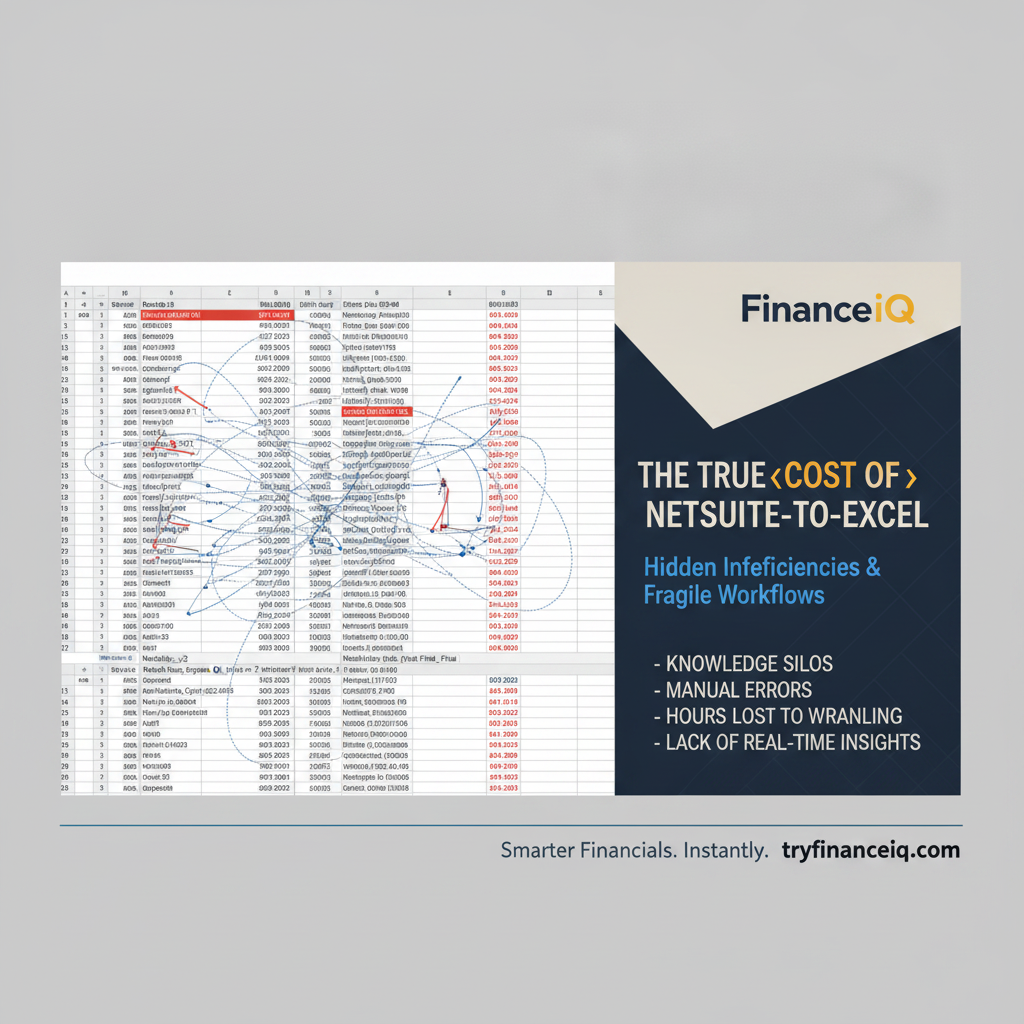
This illustration depicts the complex and often fragile chain of manual steps involved in moving financial data from NetSuite to presentation-ready reports in Excel, highlighting the numerous points where errors can occur and efficiency is lost. Understanding these hidden costs is the first step toward seeking a better, automated solution for netsuite custom financial models in excel.
Native Workarounds and Their Limitations
To mitigate some of the manual effort, many NetSuite users explore alternative ways to get data into Excel. These often involve various Excel add-ins or direct ODBC connections. While offering some advantages over purely manual exports, they introduce their own set of challenges:
- NetSuite Excel Add-ins: A NetSuite Excel add-in typically aims to create a more dynamic link between Excel and NetSuite. These add-ins often leverage SuiteAnalytics Connect or custom APIs to pull data directly into Excel spreadsheets. While they can reduce manual export steps, they frequently come with trade-offs. They might require specific installations, potentially leading to version compatibility issues with Excel itself or with NetSuite updates. Technical maintenance is often necessary, and if the underlying NetSuite schema changes, the add-in's queries can break, requiring IT intervention.
- Direct ODBC Connections (e.g., SuiteAnalytics Connect): For those with technical expertise, using an ODBC connector for Excel allows direct querying of NetSuite via SuiteAnalytics Connect. This provides the most granular control over data extraction, enabling powerful custom queries. However, this approach demands advanced SQL knowledge to write and maintain queries. Setting up and securing the ODBC connection can be complex, and ensuring data accuracy requires a deep understanding of NetSuite's database structure. Moreover, while it solves the data extraction problem, it merely provides raw data. It doesn't offer native capabilities for rich data visualization, narrative reporting, or executive dashboards, leaving the user to rebuild these layers in Excel.
Both of these workarounds still anchor the reporting process to Excel, inheriting its inherent limitations for version control, collaboration, and executive presentation. They address data extraction but not the broader problem of delivering real-time, shareable, and visually compelling financial insights without significant manual effort and technical overhead.
Breaking the Excel Cycle with FinanceIQ
The most effective way to escape the netsuite financial data export trap is to move beyond static spreadsheets and adopt a dedicated financial reporting and analytics platform built for NetSuite. FinanceIQ offers a comprehensive solution that directly addresses the pain points of manual Excel workflows, turning raw NetSuite data into live, actionable insights without the need for a separate data warehouse or complex IT projects.
FinanceIQ connects natively to your NetSuite instance, establishing a direct, live link to your financial data. This eliminates the need for manual CSV exports entirely. Instead of spending hours copying and pasting, your financial statements (P&L, Balance Sheet, Cash Flow) and key metrics are automatically updated in real-time. This ensures that every report, every dashboard, and every insight is based on the most current data, overcoming the challenge of stale data and greatly reducing netsuite reporting bottlenecks.
FinanceIQ provides block-based Boards for customizable executive dashboards and Reports for management and board packs. These blocks can include KPI cards, charts, statement tables, and narrative text, allowing you to combine live financial data with strategic commentary in a single, cohesive view. The platform supports slicing and filtering data by NetSuite Dimensions like department, class, location, and subsidiary, enabling detailed analysis without building complex pivot tables in Excel. You can create a rich reporting experience that maintains custom financial formulas and logic within a robust, centralized system, avoiding the common formula breakages encountered in Excel.
To illustrate this in action, we can see how FinanceIQ transforms raw NetSuite data into an intuitive, dynamic display. The following dashboard showcases key financial performance indicators, providing an immediate and comprehensive overview of your business's health.
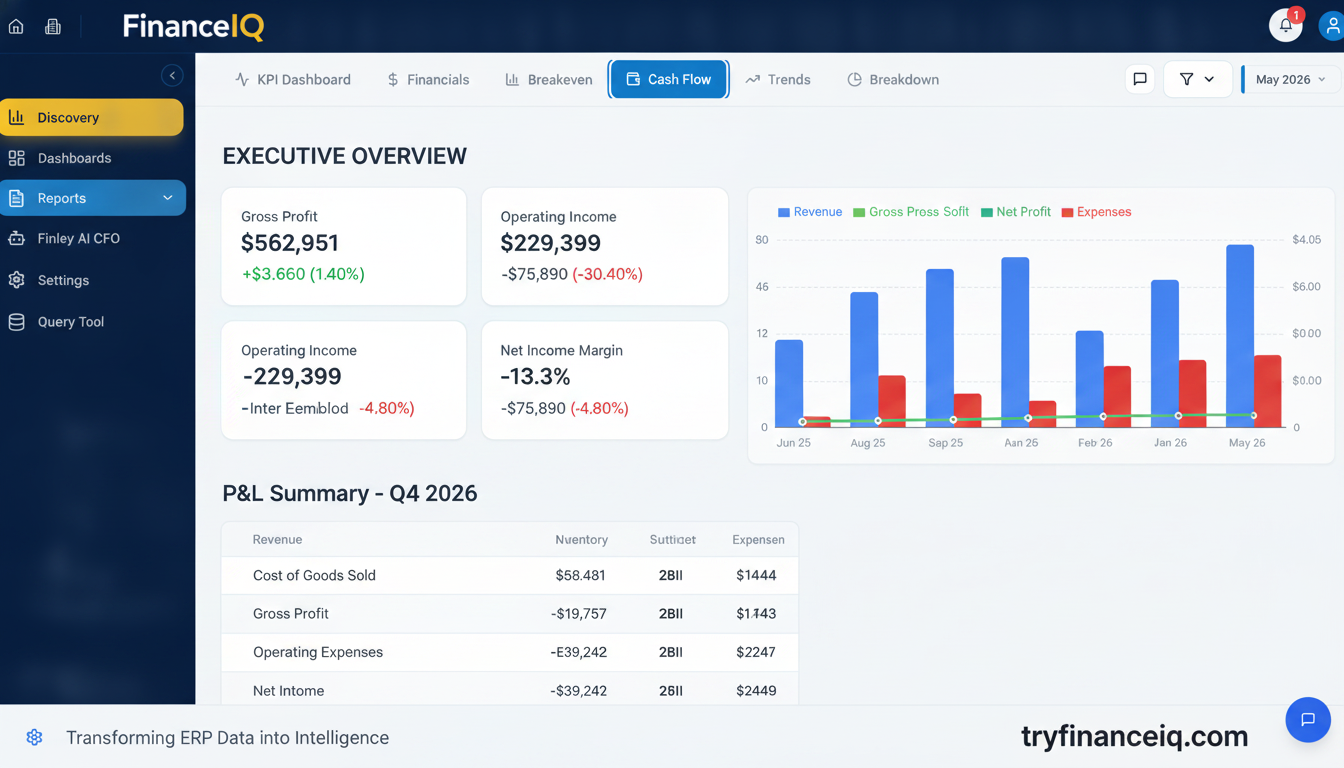
This FinanceIQ KPI dashboard offers a clear, at-a-glance view of key financial metrics, demonstrating how live NetSuite data is automatically translated into executive-ready insights without manual exports or spreadsheet manipulation. It provides a real-time snapshot of profitability, liquidity, and operational performance, directly addressing the need for up-to-date reporting.
To facilitate collaboration and prevent version control chaos, FinanceIQ allows you to share Boards and Reports via read-only links. Stakeholders receive access to live numbers, not static spreadsheets or PDFs that become outdated the moment they're sent. Furthermore, Finley, FinanceIQ's AI financial assistant, can answer ad-hoc data questions using your own numbers. Instead of building a custom Excel pivot table for every query, you can simply ask Finley in plain English, gaining immediate, grounded financial insight. This significantly reduces one-person dependency and empowers the entire finance team.
Imagine quickly getting answers to complex financial questions without manual data pulls or spreadsheet acrobatics. This next image illustrates Finley, FinanceIQ's AI financial assistant, in action, providing instant, data-backed insights directly from your NetSuite figures.
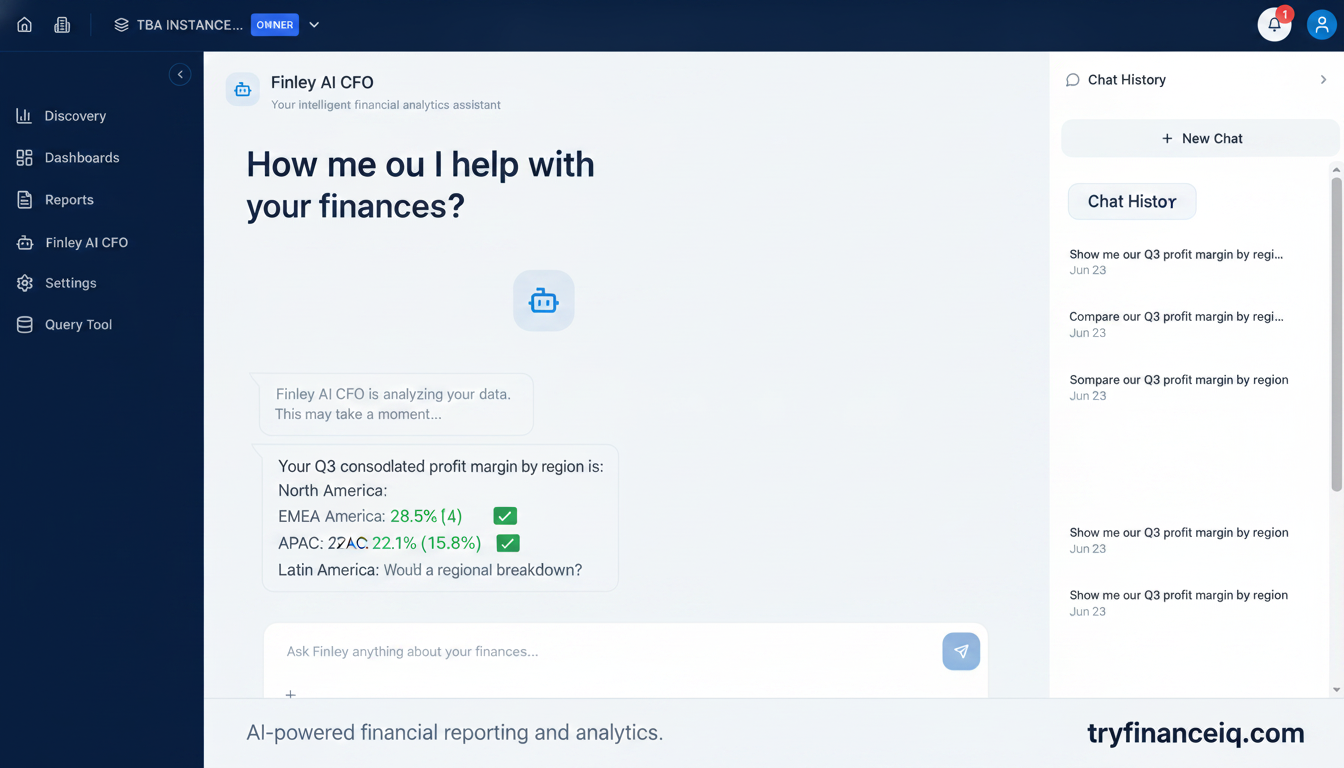
Here, Finley, the AI financial assistant, interacts directly with the user, ready to provide insights based on the customer's live financial data from NetSuite. This capability demonstrates how ad-hoc data questions can be answered rapidly and accurately, bypassing the need for manual data manipulation in Excel and reducing reliance on a single analyst.
Best Practices for Modernizing Financial Reporting
Transitioning away from fragile spreadsheet loops requires a strategic approach. Here are five best practices for modernizing your financial reporting and moving towards automated, source-of-truth systems:
- Establish a Single Source of Truth: Ensure all financial reporting originates from your NetSuite instance, with a clear, automated connection to your reporting platform. This eliminates discrepancies that arise from multiple data exports and manual manipulations.
- Automate Data Flow: Invest in tools that connect directly to NetSuite and automatically sync financial data. The goal is to eliminate manual export steps, whether from Financial Report Builder, saved searches, or workbooks. This is key to automating netsuite monthly reports.
- Prioritize Real-Time Visibility: Move beyond static, month-end snapshots. Modern reporting should provide near real-time insights, allowing finance leaders to monitor performance continually and react swiftly to changes, rather than waiting for the next reporting cycle.
- Empower Self-Service Analysis: Implement systems that allow finance team members to explore data, build custom views, and answer their own questions without relying on IT or a single Excel guru. This fosters a data-driven culture and reduces bottlenecks.
- Focus on Insight, Not Data Wrangling: By automating the collection, transformation, and presentation of data, your finance team can dedicate their expertise to high-value activities: analyzing trends, identifying opportunities, mitigating risks, and providing strategic guidance to the business.
Frequently Asked Questions About NetSuite Financial Data Export
Why does NetSuite formatting disappear when exported to Excel?
When you export a NetSuite report to CSV, you are essentially exporting raw, comma-separated values. CSV files are plain text and do not retain any visual formatting like fonts, colors, cell sizes, borders, or conditional formatting that might be present in the original NetSuite report. If you export to PDF, you get an image of the formatted report, which is also static and not easily editable or analyzable in Excel.
How can I automate pulling NetSuite data into financial models?
You can automate pulling NetSuite data to some extent using scheduled saved search emails, which deliver CSV files to your inbox. For more direct and complex automation, SuiteAnalytics Connect (ODBC/JDBC) allows you to query NetSuite's database directly from applications that support ODBC/JDBC drivers, including some Excel add-ins or custom scripts. However, these methods still require significant post-processing or technical setup. Dedicated financial reporting platforms like FinanceIQ offer direct, live connections that automate data sync and model creation.
What is the difference between SuiteAnalytics Connect and standard CSV exports?
SuiteAnalytics Connect provides direct database access to your NetSuite instance via an ODBC/JDBC driver, allowing you to run complex SQL-like queries against your raw NetSuite data. This is a powerful, real-time data integration method. Standard CSV exports, on the other hand, are snapshots of specific reports or saved searches within NetSuite, providing pre-filtered or pre-aggregated data without direct database interaction. Connect offers more flexibility but requires more technical expertise to use effectively.
How do I prevent version control errors in monthly Excel reporting packs?
The best way to prevent version control errors is to move away from distributed Excel files. Centralize your financial reporting on a platform that offers shared, live reports and dashboards. This ensures all stakeholders are always viewing the same, up-to-date data. If Excel is still necessary for specific tasks, implement strict file naming conventions, use cloud-based shared drives with version history, and clearly designate a single owner for each critical workbook.
Can I maintain custom financial formulas without breaking my NetSuite export link?
In a traditional NetSuite-to-Excel workflow, custom formulas in Excel are highly susceptible to breaking if the underlying NetSuite data structure or export format changes. The link is fragile because it's based on static data. A platform like FinanceIQ allows you to build custom financial logic and calculations directly within its block-based reporting environment, linking dynamically to your live NetSuite data. This way, your custom formulas are maintained within a robust, automatically updating system, separate from the raw export process.
How can executive teams review dynamic financial statements without looking at static Excel sheets?
Executive teams can review dynamic financial statements by using a dedicated financial reporting platform. These platforms connect directly to NetSuite and generate live financial statements (P&L, Balance Sheet, Cash Flow), dashboards, and management reports. Features like drill-down capabilities, dimension filtering, and shareable read-only links allow executives to interact with the numbers, explore trends, and gain deeper insights without relying on static Excel printouts or PDFs. This modern approach to financial visibility ensures they always have access to the most current and relevant data.
Conclusion
The NetSuite-to-Excel trap is a common challenge for finance teams, leading to lost hours, data integrity risks, and delayed insights. While NetSuite offers various data export options, none fully automate the journey from raw ERP data to polished, board-ready reports. By understanding the limitations of manual workflows and native workarounds, finance leaders can identify a clearer path forward. Modernizing financial reporting means embracing platforms that offer direct, live integration with NetSuite, providing automated dashboards, reports, and AI-powered insights.
Ready to transform your NetSuite financial reporting? See how FinanceIQ can eliminate your manual Excel workflows, provide real-time dashboards and reports, and empower your team with AI-driven insights, all connected directly to your NetSuite instance. A free trial is available to help you experience this transformation first-hand.